Bookkeeping your way with DoorLoop + QuickBooks
Connect DoorLoop with QuickBooks Online for financial visibility, weekly time savings, and the flexibility to make smarter decisions for your rental business.
Based on 700+ reviews on



Why DoorLoop?

Surprisingly simple
Enjoy a painless integration with just a few clicks to keep you moving without slowing down.

Secure & trusted
Keep your financial data protected with encrypted, PCI-compliant integrations.

Built for growth
Stay focused on scaling your portfolio while DoorLoop and QuickBooks work seamlessly in the background.
The accounting integration property managers love
Best-in-class property management with the accounting power of QuickBooks, easily synced.


Faster data entry
Ensure every transaction, payment, and adjustment flows seamlessly between your accounting in QuickBooks and your property management software without manual work.
Sync your bank
Pull, categorize, and reconcile transactions from your bank or credit card with bank sync powered by Plaid.


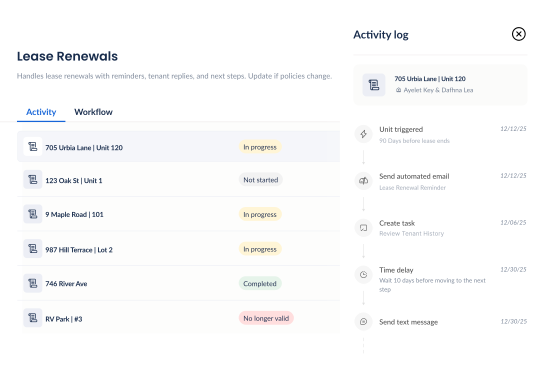
Meet DoorLoop Workflows
You define the sequence of events and DoorLoop does the rest, powered by four simple building blocks.
Triggers
Events like lease dates or move-ins
kick off the process automatically.
Actions
Emails, tasks, and messages are
created and sent based on your setup.
Rules
Delays, timing, and conditions determine
the spacing between actions.
Monitoring
View all workflow activity, completed
steps, and any errors requiring attention.




The DoorLoop effect
Delivering the features you need with the results you've been waiting for. Now that's smarter property management.
On-Time Payments
Time Saved
Increased Occupancy
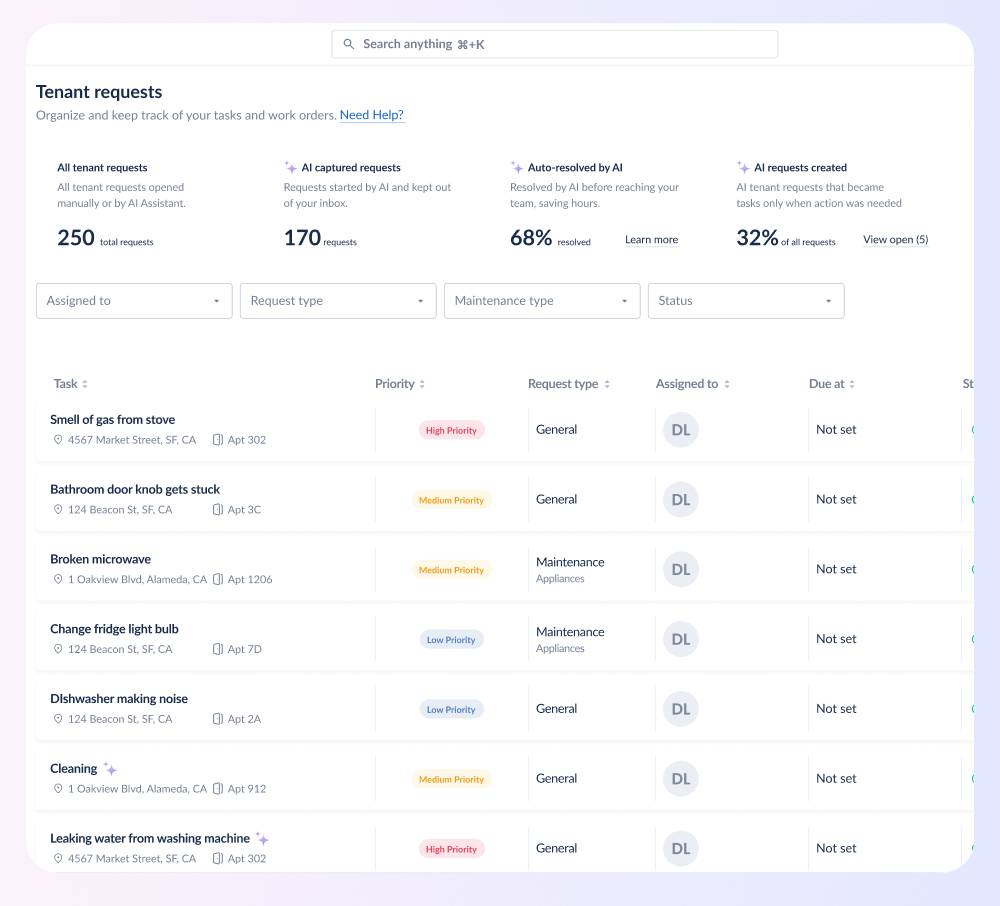
Tenant Requests Automatically Handled
Hear from our customers





Your questions answered
Is QuickBooks a property management software?

Which version of QuickBooks does DoorLoop sync with?
Do I need to map the fields to QuickBooks?
Does QuickBooks offer property management?
What are the benefits of a QuickBooks integration?
Is it a one-way sync?
How do you avoid duplicate data in QuickBooks?
Is QuickBooks suitable for property owners?
Explore more features
Discover additional tools and features that can streamline your property management workflow.


Resources & learning materials
Bring your entire rental portfolio under one roof so you can move faster and manage every property with all the support you need to stay organized and grow.


Serious about property management?
Save more time. Manage more units. Unlock more growth. Request a demo and see if it's the right fit.
.svg)
.svg)

